Accounting Link – Processing Options Explained with Examples

May 13, 2026
 554
554
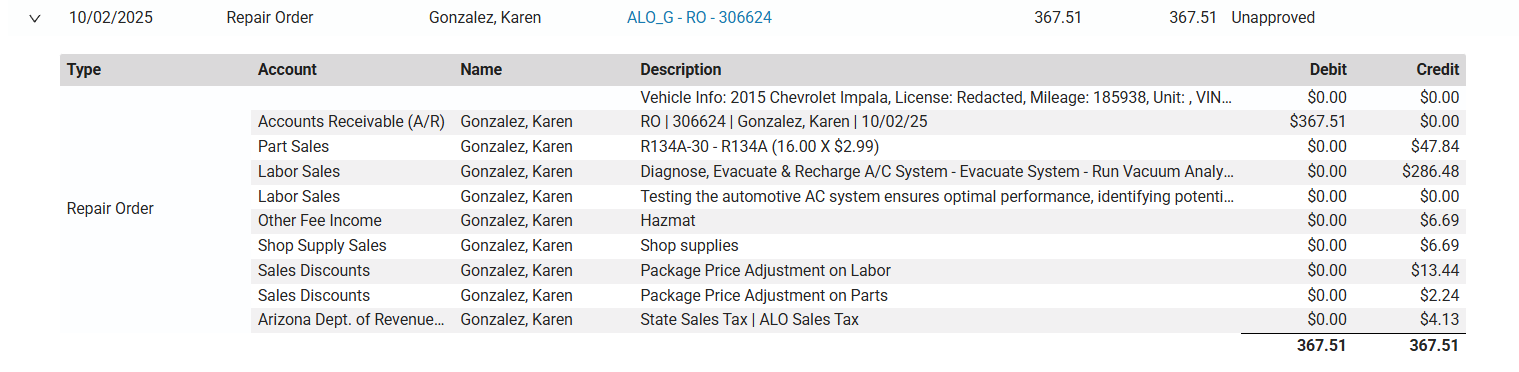
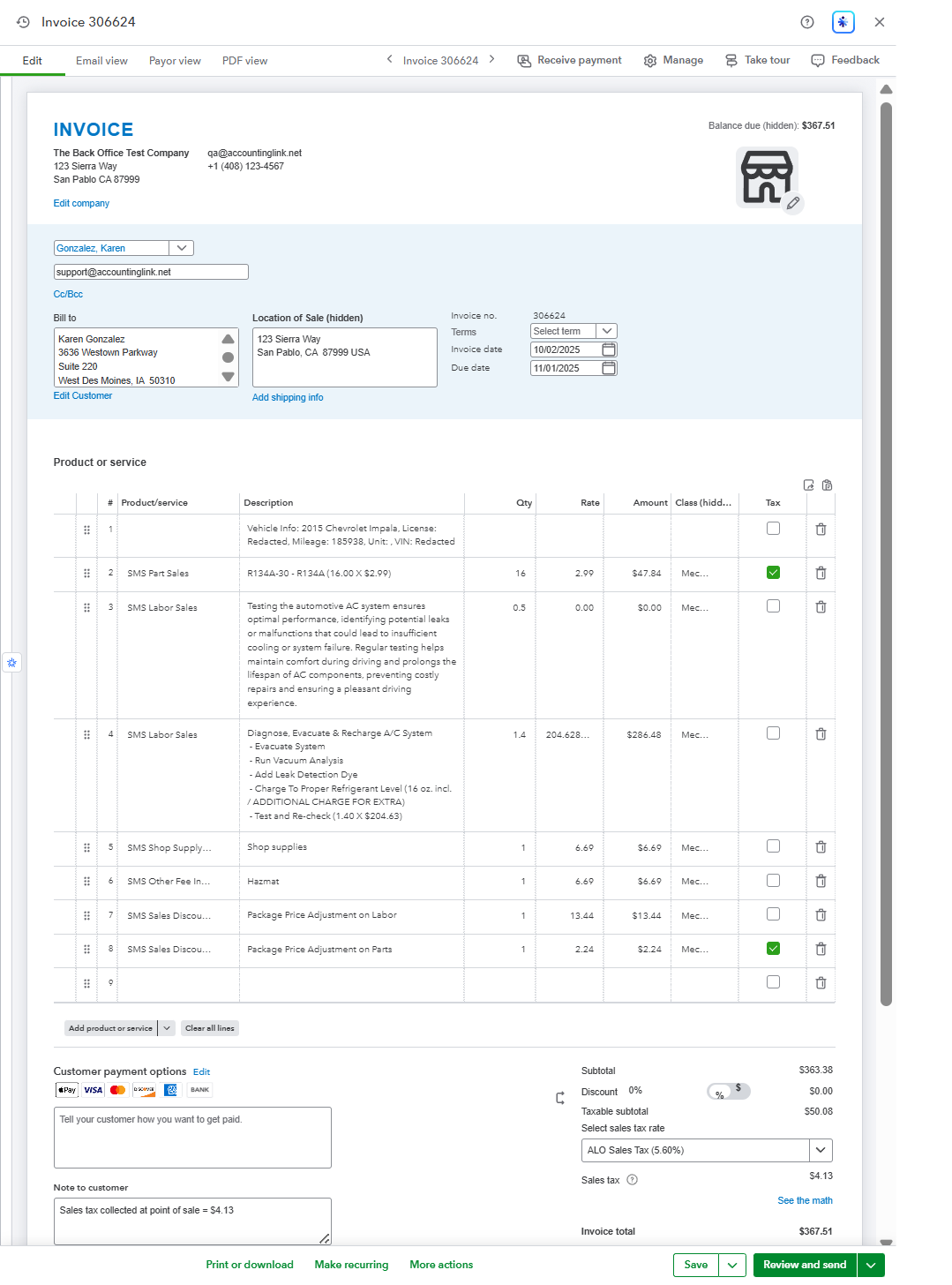
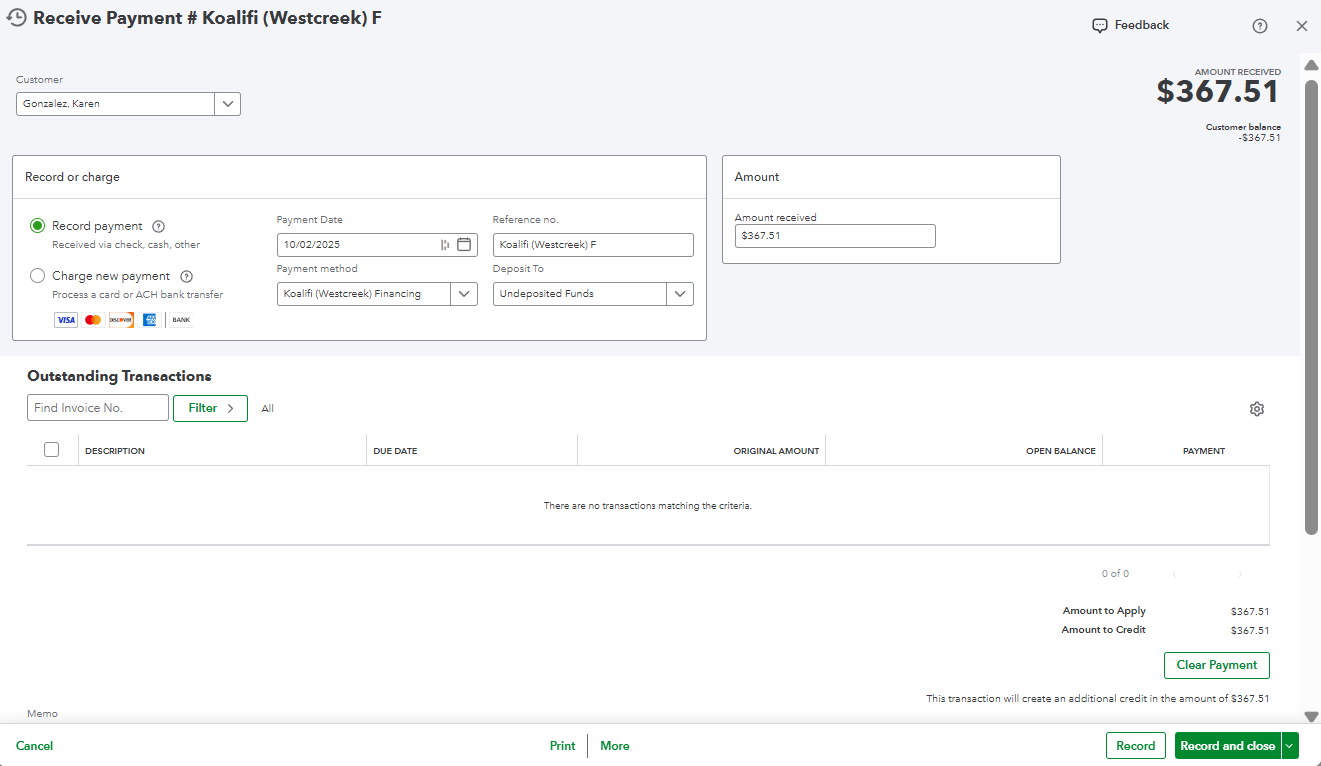
This article includes examples of what invoices and payments will look like once posted QuickBooks Online, depending on your chosen processing method. It's important to note that Accounting Link is compatible with many accounting platforms. The purpose of this article is to demonstrate the level of detail that's available through Accounting Link.
IMPORTANT: Available transaction types may differ based on the connected Shop Management System. The images shown are meant to demonstrate example configurations within Accounting Link, but are not all-inclusive. Because Accounting Link is flexible, it can be configured to handle invoices and payments that are either simpler or more complex than the examples below.
Customer-Invoice Level Detail (Subsidiary Method)
Popular processing option for small to midsize shops
- The subsidiary method allows Accounting Link to provide the highest level of detail for customer invoices and payments in your accounting system.
- Sales and payments are posted individually as Invoices and Payments under the customer account.
- Customers and Vendors will be automatically created in your accounting system (as needed) as invoices and payments are posted.
- Vendor transactions are individually transferred.
Invoice Examples
Accounting Link Online
Result in QuickBooks Online
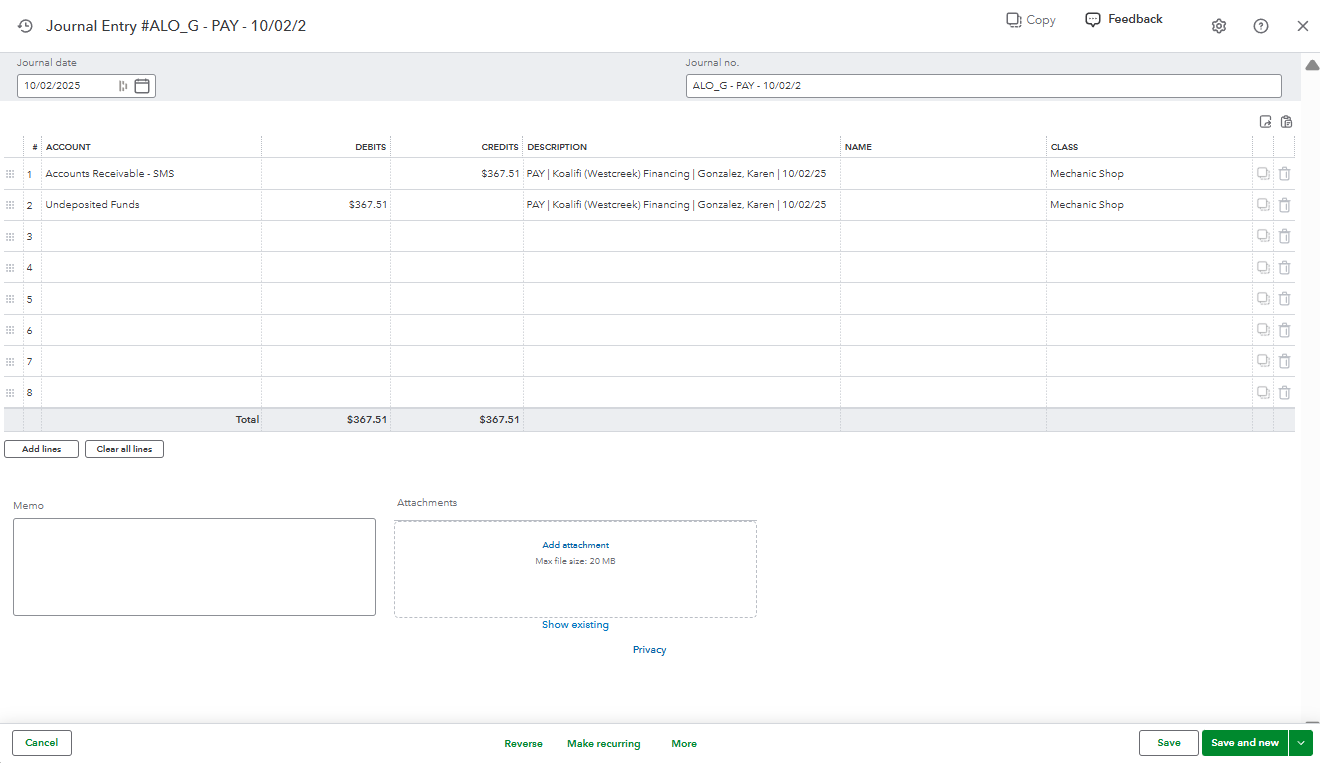
Payment Examples
Accounting Link Online

Result in QuickBooks Online
Summarized Journal Entry Level Detail (Summary Method)
Popular processing option for multi-shop operations
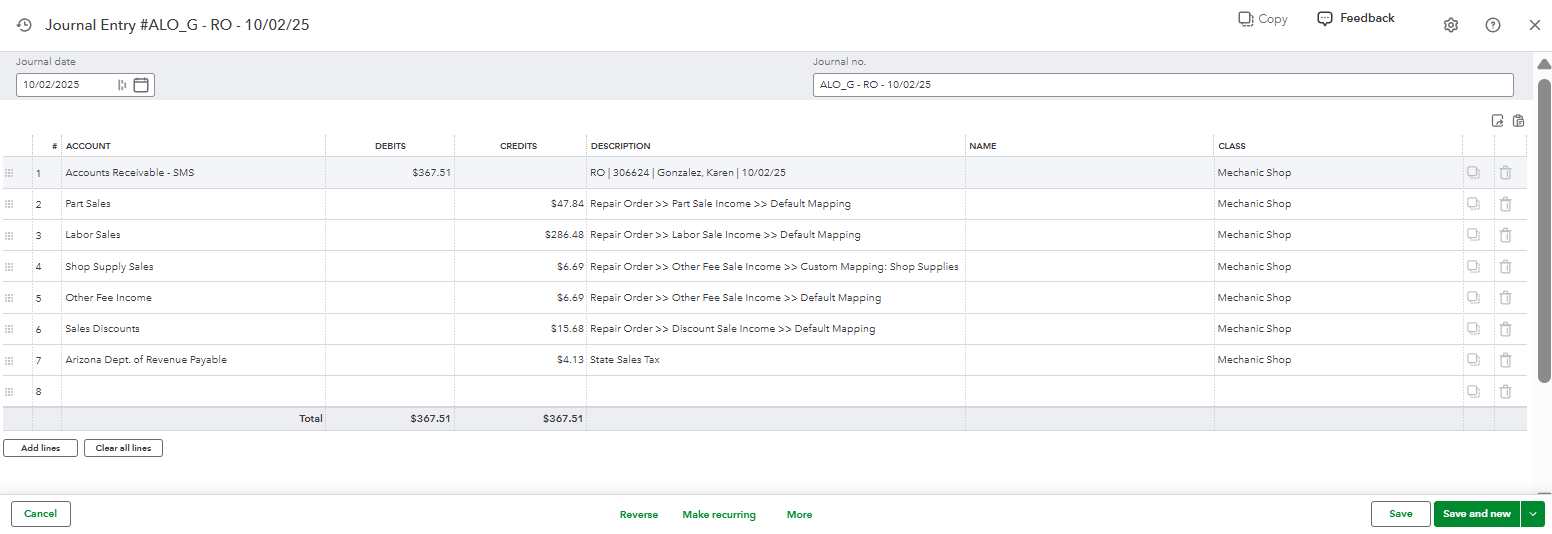
- Sales and Payments are posted as Journal Entries within the accounting system and represent totals for a day.
- Accumulated tax on sales will have a General Ledger Account for each tax code, ensuring tax collected flows to the correct entity.
- Vendor transactions are individually transferred.
Invoice Examples
Accounting Link Online

Result in QuickBooks Online
Payment Examples
Accounting Link Online

Result in QuickBooks Online